

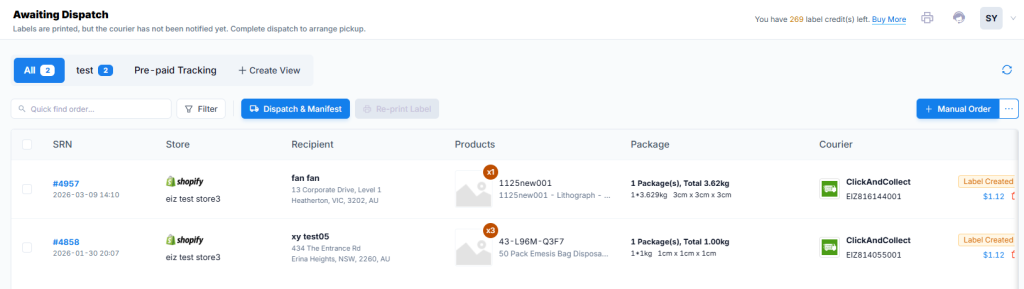
The Awaiting Dispatch section allows you to select the orders that are ready for delivery and notify the carrier so they can book the pickup, by clicking the Dispatch & Manifest button.
Here are the functions for this section:
| Functions | Description |
|---|---|
| All Tab | Displays all orders ready to be manifested |
| Create View button | Click this to create views to filter your orders using various criteria. |
| Dispatch & Manifest Button | When clicked, it will send the information back to the carrier to book the pickup. The tracking number will be uploaded to the sales channel. You will also generate a basic manifest for you to use if needed. The order will move to the Completed section. |
| Re-print Label Button | When orders are selected, you will be able to re-print the shipping labels. |
| Quick Find Order Search and Filter Button | Use these to search for specific orders. |
| SRN Hyperlink | Click the link to view the Order Details page. You can re-print the pack list or shipping label from this page. |
| Delete Label Icon | Click this to delete the shipping label. The order will move back to the Ready To Ship section. |


