

Once your sales channels have been integrated, ShipMarvel Pro will sync your active products and display them here in the Products section.
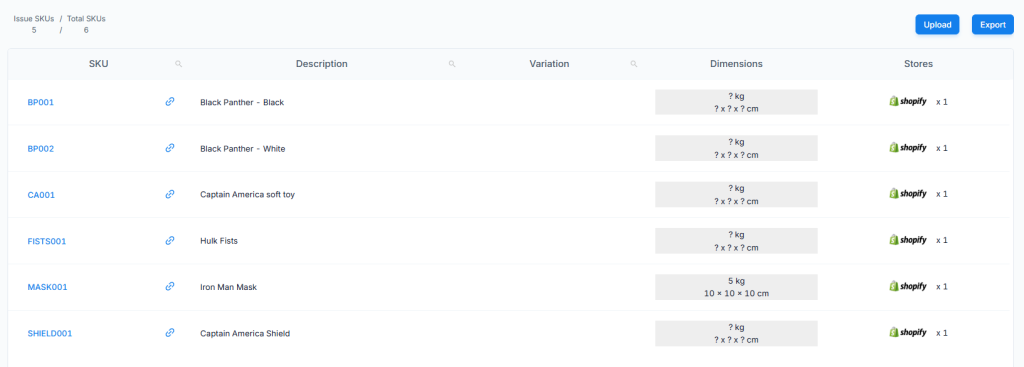
Here’s a table on what the functions in the Products section do:
| Search function | This is located on the SKU, Description and Variation headers to allow you to search your products. |
| Issue SKUs / Total SKUs | Issue SKUs are products with no package information. Total SKUs is the total number of products synced from your sales channel. |
| Upload button | Click this to import your products using the excel file template available to download. |
| Export button | Click this to export all products into an excel file. |
| SKU Column | This will display the SKU name as a clickable link which you can click on to view the Product Details window and make any further updates to the details. |
| Link icon | This is helpful for those using eBay stores where a sku id is not used, so ShipMarvel will generate a random sku id for our system. You can then use this link to link to the correct product with the correct sku id. |
| Description Column | This is the description or listing title of the product. |
| Variation Column | This will display any variations this product may have. |
| Dimension Column | This will display the weight and dimensions of the package for the product. You can click it to make any changes. |
| Stores Column | This will show the store this product is listed on. |


