

The Top Up Balance in ShipMarvel Pro is a prepaid wallet that you use to pay for your shipping labels.
Instead of being charged individually for each label, you load funds into your account first—then ShipMarvel deducts the cost of each label from this balance instantly.
Think of it like topping up your Opal/Myki card:
➡️ Add money once → Use it as you go → Only top up again when you need to.
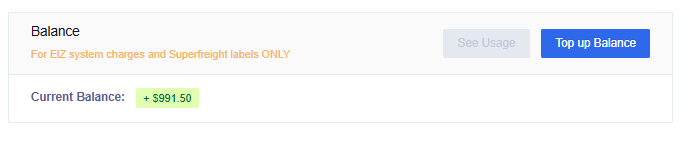
Why ShipMarvel Pro Uses a Top Up Balance #
Using a prepaid balance provides several benefits:
✔ Faster label purchases #
No need to enter payment details every time—you can generate labels instantly.
✔ Fewer failed payments #
Since charges come out of your prepaid wallet, there’s no risk of credit‑card declines interrupting your workflow.
✔ Simpler accounting #
You can top up once, then you can request a receipt for your accounting system.
How to add to your Top Up Balance #
1. Go to Account Settings #
Click Profile icon (top right corner) → Select Settings → Click Top up Balance
2. Enter in Payment Details #
Enter in your credit card details for payment.
3. Select a Top-Up Amount #
ShipMarvel Pro gives you preset options (e.g., $10, $20, $50, $100) plus a custom amount field called More. Once you have selected or entered in an amount, click the OK button.
4. Confirm the Top-Up #
Once the payment succeeds, your updated balance appears instantly in the top‑right corner of your dashboard.
How ShipMarvel Pro deducts from your Top Up Balance #
Each time you generate a label, ShipMarvel Pro will automatically deduct this cost from your Top Up Balance.
Example:
Your freight cost is $8.30 → Your Top Up Balance decreases by $8.30.
If your Top Up Balance is too low, you’ll be prompted to top up before generating the label.


